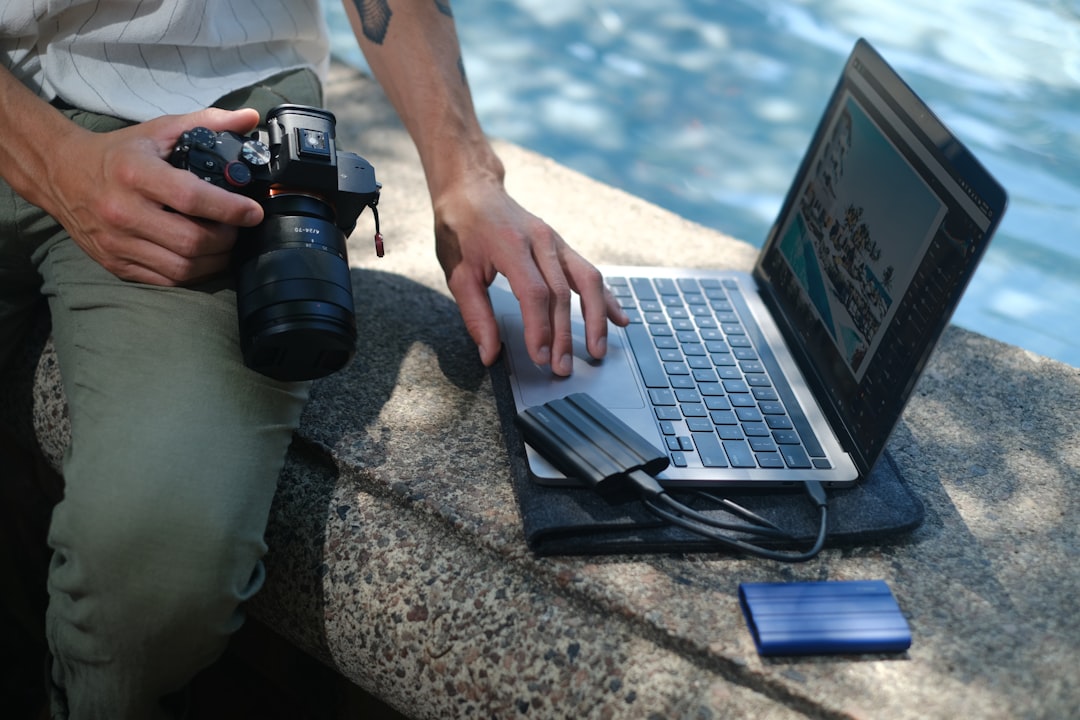
Mastering Photography Gallery Management with ShutterDeck
Introduction
As a professional photographer, managing client galleries and deliveries is a crucial aspect of your workflow. A well-organized gallery management system can help you save time, reduce stress, and improve client satisfaction. In this article, we will explore the importance of photography gallery management and how ShutterDeck can help you streamline your workflow. With ShutterDeck, you can easily track client galleries and deliveries, making it an essential tool for any working photographer.
Photography gallery management involves more than just uploading photos to a website. It requires a systematic approach to organizing, sharing, and delivering photos to clients. A good gallery management system should be able to handle large volumes of photos, provide easy sharing and collaboration tools, and offer a seamless delivery experience for clients. In this article, we will delve into the world of photography gallery management and explore how ShutterDeck can help you achieve your goals.
ShutterDeck is a powerful photography CRM and workflow automation tool that helps photographers manage their clients, galleries, and deliveries. With its intuitive interface and robust features, ShutterDeck makes it easy to track client interactions, share photos, and deliver final products. Whether you are a wedding photographer, portrait photographer, or commercial photographer, ShutterDeck has the tools you need to succeed.
In this article, we will take a closer look at the features and benefits of using ShutterDeck for photography gallery management. We will explore its key features, such as client proofing, photo delivery workflow, and gallery management, and provide actionable tips and strategies for getting the most out of the platform. By the end of this article, you will have a comprehensive understanding of how ShutterDeck can help you master photography gallery management and take your business to the next level.
Table of Contents
Introduction to ShutterDeck
ShutterDeck is a comprehensive photography CRM and workflow automation tool that helps photographers manage their clients, galleries, and deliveries. With its intuitive interface and robust features, ShutterDeck makes it easy to track client interactions, share photos, and deliver final products. Whether you are a wedding photographer, portrait photographer, or commercial photographer, ShutterDeck has the tools you need to succeed.
One of the key benefits of using ShutterDeck is its ability to streamline your workflow. With ShutterDeck, you can automate repetitive tasks, such as sending emails and follow-up messages, and focus on what matters most – taking great photos and delivering exceptional client service. ShutterDeck also provides a centralized platform for managing client interactions, making it easy to track communication and ensure that nothing falls through the cracks.
Benefits of Using ShutterDeck
There are many benefits to using ShutterDeck for photography gallery management. Some of the key benefits include:
-
- Streamlined workflow and automation of repetitive tasks
-
- Centralized platform for managing client interactions
-
- Easy sharing and collaboration tools
-
- Seamless delivery experience for clients
Key Features of ShutterDeck
ShutterDeck has a range of features that make it an essential tool for photography gallery management. Some of the key features include:
Client Proofing and Approval
ShutterDeck’s client proofing and approval feature allows you to easily share photos with clients and get feedback and approval. With this feature, you can create a private gallery for each client, upload photos, and invite clients to review and approve the photos. Clients can then provide feedback and approval, and you can use this feedback to make any necessary edits and deliver the final product.
This feature is particularly useful for photographers who need to get client approval on photos before delivering the final product. With ShutterDeck, you can save time and reduce the back-and-forth of emailing photos and getting feedback, and focus on what matters most – taking great photos and delivering exceptional client service.
Client Proofing and Approval
Client proofing and approval is a critical aspect of photography gallery management. With ShutterDeck, you can easily create a private gallery for each client, upload photos, and invite clients to review and approve the photos. Clients can then provide feedback and approval, and you can use this feedback to make any necessary edits and deliver the final product.
Best Practices for Client Proofing and Approval
There are several best practices to keep in mind when using ShutterDeck’s client proofing and approval feature. Some of these best practices include:
-
- Creating a clear and concise brief for the client to follow
-
- Uploading high-quality photos that accurately represent the final product
-
- Providing clear instructions for the client to follow when providing feedback and approval
-
- Responding promptly to client feedback and approval
Photo Delivery Workflow
ShutterDeck’s photo delivery workflow feature allows you to easily deliver photos to clients and track the delivery process. With this feature, you can create a customized delivery workflow that meets the needs of your business, and automate the delivery process to save time and reduce errors.
Customizing the Delivery Workflow
ShutterDeck’s photo delivery workflow feature is highly customizable, allowing you to create a delivery workflow that meets the needs of your business. You can customize the workflow to include multiple steps, such as uploading photos, sending emails, and tracking delivery, and automate each step to save time and reduce errors.
Gallery Management and Organization
ShutterDeck’s gallery management and organization feature allows you to easily manage and organize your galleries, making it easy to find and share photos with clients. With this feature, you can create multiple galleries, upload photos, and add tags and keywords to make it easy to search and find photos.
Best Practices for Gallery Management and Organization
There are several best practices to keep in mind when using ShutterDeck’s gallery management and organization feature. Some of these best practices include:
-
- Creating clear and concise names for each gallery
-
- Uploading high-quality photos that accurately represent the final product
-
- Adding tags and keywords to make it easy to search and find photos
-
- Regularly updating and maintaining the galleries to ensure they are accurate and up-to-date
Collaboration and Sharing
ShutterDeck’s collaboration and sharing feature allows you to easily share photos with clients and collaborators, making it easy to work together and get feedback and approval. With this feature, you can create a private gallery for each client, upload photos, and invite clients to review and approve the photos.
Best Practices for Collaboration and Sharing
There are several best practices to keep in mind when using ShutterDeck’s collaboration and sharing feature. Some of these best practices include:
-
- Creating clear and concise instructions for the client to follow
-
- Uploading high-quality photos that accurately represent the final product
-
- Providing clear instructions for the client to follow when providing feedback and approval
-
- Responding promptly to client feedback and approval
Tips and Strategies for Using ShutterDeck
There are several tips and strategies to keep in mind when using ShutterDeck for photography gallery management. Some of these tips and strategies include:
Getting Started with ShutterDeck
Getting started with ShutterDeck is easy. Simply sign up for an account, create a new gallery, and upload your photos. You can then invite clients to review and approve the photos, and use the feedback and approval to make any necessary edits and deliver the final product.
Comparison of ShutterDeck with Other Tools
ShutterDeck is not the only tool available for photography gallery management. There are several other tools available, each with their own features and benefits. The following table compares ShutterDeck with some of the other popular tools available:
| Tool | Features | Best For |
|---|---|---|
| ShutterDeck | Client proofing and approval, photo delivery workflow, gallery management and organization, collaboration and sharing | Professional photographers who need a comprehensive tool for managing client galleries and deliveries |
| Photoshelter | Gallery management and organization, collaboration and sharing, e-commerce integration | Professional photographers who need a tool for managing and selling their photos online |
| SmugMug | Gallery management and organization, collaboration and sharing, e-commerce integration | Professional photographers who need a tool for managing and selling their photos online |
Checklist for Implementing ShutterDeck
Implementing ShutterDeck is easy. The following checklist provides a step-by-step guide to getting started with ShutterDeck:
-
- Sign up for a ShutterDeck account
-
- Create a new gallery and upload your photos
-
- Invite clients to review and approve the photos
-
- Use the feedback and approval to make any necessary edits and deliver the final product
-
- Regularly update and maintain the galleries to ensure they are accurate and up-to-date
Frequently Asked Questions
What is ShutterDeck and how does it work?
ShutterDeck is a comprehensive photography CRM and workflow automation tool that helps photographers manage their clients, galleries, and deliveries. With ShutterDeck, you can automate repetitive tasks, such as sending emails and follow-up messages, and focus on what matters most – taking great photos and delivering exceptional client service.
How do I get started with ShutterDeck?
Getting started with ShutterDeck is easy. Simply sign up for an account, create a new gallery, and upload your photos. You can then invite clients to review and approve the photos, and use the feedback and approval to make any necessary edits and deliver the final product.
What are the benefits of using ShutterDeck?
There are several benefits to using ShutterDeck for photography gallery management. Some of the key benefits include streamlined workflow and automation of repetitive tasks, centralized platform for managing client interactions, easy sharing and collaboration tools, and seamless delivery experience for clients.
How do I customize the delivery workflow in ShutterDeck?
ShutterDeck’s photo delivery workflow feature is highly customizable, allowing you to create a delivery workflow that meets the needs of your business. You can customize the workflow to include multiple steps, such as uploading photos, sending emails, and tracking delivery, and automate each step to save time and reduce errors.
Can I use ShutterDeck for collaboration and sharing?
Yes, ShutterDeck’s collaboration and sharing feature allows you to easily share photos with clients and collaborators, making it easy to work together and get feedback and approval. With this feature, you can create a private gallery for each client, upload photos, and invite clients to review and approve the photos.
What is the cost of using ShutterDeck?
The cost of using ShutterDeck varies depending on the plan you choose. ShutterDeck offers a range of plans to meet the needs of different photographers, from solo photographers to large studios.
Conclusion
In conclusion, ShutterDeck is a powerful tool for photography gallery management. With its intuitive interface and robust features, ShutterDeck makes it easy to track client interactions, share photos, and deliver final products. Whether you are a wedding photographer, portrait photographer, or commercial photographer, ShutterDeck has the tools you need to succeed. By implementing ShutterDeck into your workflow, you can save time, reduce stress, and improve client satisfaction. So why not try ShutterDeck today and take your photography business to the next level?










Leave A Comment